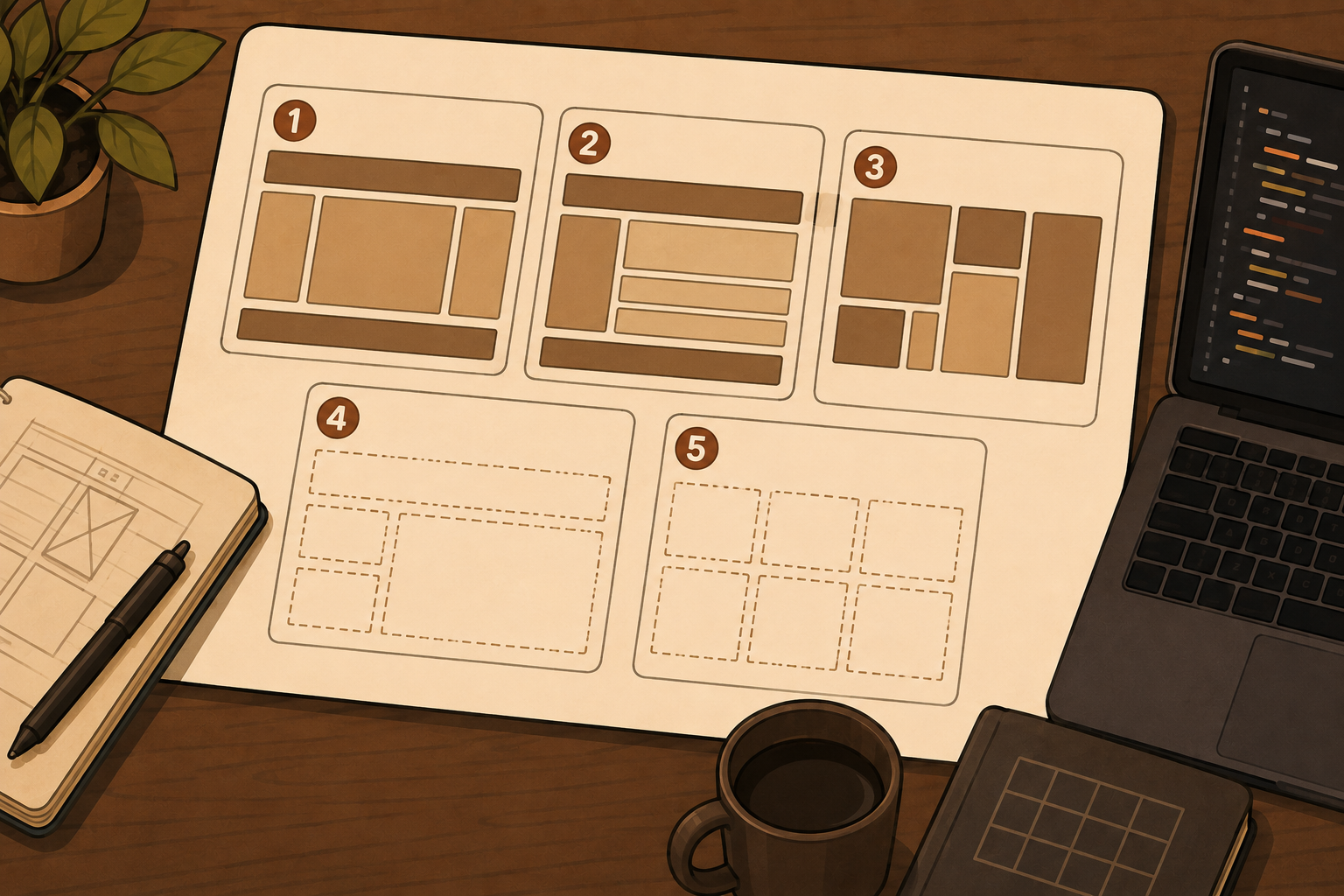
A student can copy this:
display: grid;
grid-template-columns: repeat(3, 1fr);
and still have almost no idea what CSS Grid is doing.
That is one of the harder parts of teaching Grid. The finished layout can look correct even when the student is relying on copied code, guessing values or changing properties until something works.
So a useful Grid exercise shouldn't only ask can you recreate this layout? It should also help you answer do they understand why it works?
These five exercises are designed to expose that difference. Each one tests a different Grid concept, and each includes the mistakes worth watching for.
Don't show the solution first. Give students the target layout, the supplied HTML and the constraint for the exercise. The important part is seeing how they reason their way to the result.
1. Build three equal columns without being given the property
The exercise
Give students this HTML:
<div class="grid">
  <div>One</div>
  <div>Two</div>
  <div>Three</div>
</div>
And this target: three equal-width columns with a 20px gap. Tell them they may change the CSS, but not the HTML. Do not give them grid-template-columns.
What this tests
This looks like the simplest exercise in the article. It is. But it gives you a useful baseline. You're checking whether the student understands that:
- Grid is created on the parent
- Columns are tracks
frdistributes available spacegapbelongs to the Grid container
A good solution might look like:
.grid {
  display: grid;
  grid-template-columns: repeat(3, 1fr);
  gap: 20px;
}
MDN's current Grid skill test starts with a similar fundamentals task, asking learners to create three equal columns and a gap before exploring how additional children auto-place.
What to watch for
A student may use width: 33%; on every child. Or Flexbox. Or three hard-coded pixel widths. Those solutions may produce something visually similar. That doesn't necessarily mean the student has failed. It tells you something more useful: they have not yet chosen Grid as the layout model for the problem.
Ask them this
Instead of immediately correcting the code, ask: where are the three columns defined? If they cannot point to the Grid container and explain the tracks, that is the concept to revisit.
Do not show the solution until students have attempted the layout.
2. Make one item span two columns
The exercise
Start with a simple three-column Grid containing six items. Ask the student to make the first item span two columns without changing the HTML. The target should look roughly like: Item 1 spans columns 1 and 2, Item 2 sits in column 3, and the remaining items continue below.
What this tests
Now you're testing whether the student understands the difference between the Grid itself and where an item sits on that Grid. A possible solution is:
.featured {
  grid-column: span 2;
}
Or they may use explicit Grid lines. Both can be valid depending on how you've taught placement. Jen Simmons' exercise collection similarly moves from creating a Grid into explicitly placing and enlarging Grid items, which is a useful progression from structure into placement.
What to watch for
One revealing mistake is changing grid-template-columns just to make the first item wider. That suggests the student may still see the layout as a collection of boxes rather than tracks + items placed on tracks. Another is adding extra markup purely to force the position.
Ask them this
Did you change the Grid or did you change the item? If they can explain why the item should span existing tracks, they are starting to understand one of Grid's most important ideas.
Item 1 spans from line 1 to line 3.
3. Make the cards responsive without giving them a breakpoint
The exercise
Give students six cards. The requirement is: show as many useful columns as will comfortably fit. On narrow screens, reduce the number of columns. Add one rule: do not start with a media query. This is important.
What this tests
This reveals whether the student understands responsive Grid as more than desktop breakpoint → tablet breakpoint → mobile breakpoint. A strong solution may use:
.grid {
  display: grid;
  grid-template-columns:
    repeat(auto-fit, minmax(220px, 1fr));
  gap: 20px;
}
The student doesn't need to produce that exact line from memory. What you're really looking for is whether they understand a useful minimum track width, flexible growth, automatic column count, and available space.
What to watch for
A student may immediately write three media queries. That can produce a perfectly functional result. The teaching question is whether they understand why they chose those breakpoints. If the answer is "because that's what we normally use," then this exercise has exposed an opportunity. They may understand media queries without yet understanding intrinsic Grid behaviour.
Ask them this
Could the layout decide when another card no longer fits instead of you deciding the exact screen width? That question usually leads naturally toward minmax() and auto-fit.
This is the target students are trying to reproduce - the CSS is not shown to them.
Don't mark media queries as "wrong." They are not. The purpose of this exercise is to find out whether the student also understands how Grid can respond to available space.
4. Recreate the layout without changing the HTML order
The exercise
Provide HTML in this order:
<header>Header</header>
<main>Main content</main>
<aside>Sidebar</aside>
<footer>Footer</footer>
Ask students to create a desktop layout where the header spans the full width, the sidebar sits on the left, the main content sits on the right, and the footer spans the full width. The HTML order must remain unchanged.
What this tests
This moves students beyond repeated card layouts. You're testing whether they can think in terms of a two-dimensional page structure. A good approach may use Grid areas:
.page {
  display: grid;
  grid-template-columns: 220px 1fr;
  grid-template-areas:
    "header header"
    "sidebar main"
    "footer footer";
}
header { grid-area: header; }
main   { grid-area: main; }
aside  { grid-area: sidebar; }
footer { grid-area: footer; }
It could also be solved using explicit line placement. The exact syntax is less important than whether the student can map the desired layout onto Grid tracks. Wes Bos' Grid exercises include both Grid template areas and larger responsive layouts later in the learning sequence, reflecting the move from individual Grid mechanics into page-level composition.
What to watch for
Students may reorder the HTML, use absolute positioning, add unnecessary wrappers, or use large margins to push elements around. Again, don't treat the unusual solution as the problem by itself. Ask why they chose it.
Ask them this
Can you point to the rows and columns before you write the placement CSS? If they can't sketch the underlying Grid, they may be trying to position individual elements without first understanding the layout structure.
Rendered with CSS Grid, not an HTML table - keep faint grid lines visible where possible.
5. Debug a Grid that looks almost right
The exercise
This is the most important exercise of the five. Don't ask the student to build anything from scratch. Give them a broken layout. For example:
.grid {
  display: grid;
  grid-template-columns:
    repeat(3, 300px);
  gap: 32px;
}
Place it in a container that is too narrow. Add one long piece of content to one card. Then give the student this instruction: fix the layout without hiding the overflow.
What this tests
Building from a blank file and debugging somebody else's CSS are different skills. This exercise reveals whether students can identify the visible symptom, inspect the Grid, isolate the rule causing it, distinguish track problems from content problems, and change the smallest useful thing. That is much closer to what happens in real development.
What to watch for
The quickest student response may be overflow: hidden;. That removes the symptom. It doesn't necessarily fix the layout. Others may rewrite the entire Grid before identifying why it broke.
Ask them this
Before they change any CSS, ask: which element or rule is making the layout wider than the available space? That forces diagnosis before experimentation. Possible fixes may involve flexible columns, reducing an inappropriate fixed width, min-width: 0, allowing long content to wrap, constraining media, or changing an unrealistic minmax() minimum. There may be more than one valid solution. That's useful.
The real assessment
Don't only look at whether the finished Grid works. Ask the student to explain: what was broken? Why did it happen? Why does your change fix it? If they can answer those three questions, they are demonstrating much more than syntax recall.
Two possible clues: fixed-width tracks, and one long piece of content. What would you inspect first?
How to use these exercises in one lesson
You don't need to run all five as a test. A useful progression is:
- Exercise 1 - can they define tracks?
- Exercise 2 - can they place items on those tracks?
- Exercise 3 - can they make the tracks respond to available space?
- Exercise 4 - can they plan a complete two-dimensional layout?
- Exercise 5 - can they diagnose something they didn't build?
The progression matters. The first four ask can you make Grid do something? The fifth asks do you understand Grid well enough to explain why it didn't? That is a much stronger test of understanding.
What not to grade too quickly
A student using different CSS from your model answer does not automatically mean they misunderstood the exercise. CSS often has several valid ways to reach a similar visual result. Before marking a solution wrong, ask: can they explain their decision? If they used a media query instead of auto-fit, why? If they used Grid lines instead of areas, why? If they used minmax(0, 1fr) instead of 1fr, do they understand what changed? The explanation often tells you more than whether their code matches yours.
The most revealing student habit is often not incorrect syntax. It's changing values until the layout looks right without being able to explain what changed. That's the difference between recognising CSS and understanding it. A good exercise makes that visible.
Give students the layout before you give them the answer
One reason Grid can be difficult to teach is that the code and the visual structure are separated. Students see grid-column: 1 / 3; but they may not yet see: start at this Grid line, cross these tracks, stop here. That is where visual tools become useful.
Let the student see the Grid. Let them make a prediction. Then let them change the CSS and see whether the layout behaves the way they expected. That turns the exercise from copy the property into predict the layout.